

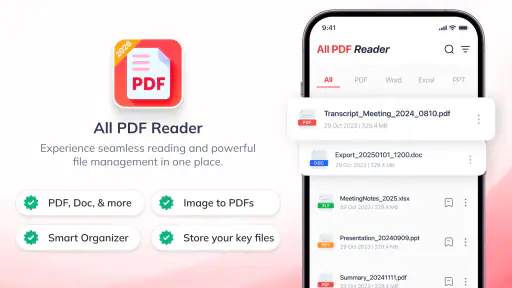
I installed PDF Reader & Document Viewer expecting a straightforward way to open common office files, and that is exactly where this productivity app makes its best impression. It brings PDF, Word, Excel, and PowerPoint documents into one mobile workspace instead of making me jump between separate viewers. That sounds simple, but it matters when a phone is being used for work, study, travel paperwork, or quick document checks.
My overall view is positive, with an important qualification: this is primarily a convenient reader and document manager, not a complete replacement for a desktop office suite. If your main need is to open files, review them, keep them together, and avoid installing several separate apps, it is an appealing free starting point. If you need advanced editing, complex spreadsheet work, or precise presentation design, I would look at a more specialized alternative.
How I judged the app for everyday document work
I approached it as a decision rather than a feature hunt. The first question was whether it could reduce friction when a document arrived unexpectedly. A PDF from a school, a Word attachment from work, a spreadsheet sent in a group chat, and a presentation shared before a meeting all create the same problem: I need to open the file quickly and understand what is inside. A single viewer for these formats is useful when speed and simplicity matter more than deep editing.
The second question was whether the app felt suitable for regular document handling rather than one occasional PDF. Its store summary presents it as a place to read, view, and manage several document types, while the short description focuses on PDF reading. That distinction is helpful. I would treat the PDF experience as the center of the app and the other formats as valuable additions for convenience.
The app is free to install, carries an Everyone age rating, and comes from developer Meagan McConnell. It has reached over five million installs, with an average rating of three and a half from around fourteen thousand ratings. Those figures suggest a product with a substantial audience but also a mixed experience, so I would not assume it will satisfy every kind of document user.
My practical test was less about opening one file successfully and more about the complete routine: finding a document, opening it, checking whether the layout remains readable, moving between files, and deciding whether I would keep the app installed. That is where a document viewer earns its place. A technically capable reader can still feel inconvenient if it makes ordinary files difficult to locate or forces too many steps for a simple task.
The everyday scenario where it makes the most sense
Imagine receiving a travel confirmation as a PDF, a packing checklist in Word, a budget spreadsheet, and an itinerary presentation during the same week. With separate format-specific apps, each file may lead you into a different interface and a different storage area. Here, I can use one document-focused app as my first stop. I do not need to decide in advance which viewer belongs to which attachment.
That workflow is especially useful on a phone with limited storage or for someone who does not want a collection of office applications. It also suits students checking lecture handouts, freelancers reviewing client files, and family members who mainly need to read documents rather than create them from scratch. The real strength is reduced app switching, not advanced office production.
There is a less obvious benefit to this approach: it encourages a review-first habit. When I receive a file, I can open it immediately, confirm that it is the correct document, and then decide whether it needs a full editor. That prevents installing or launching a heavyweight office suite for a task that only requires reading a few pages or checking a number in a spreadsheet.
PDF reading is the reason to keep it installed
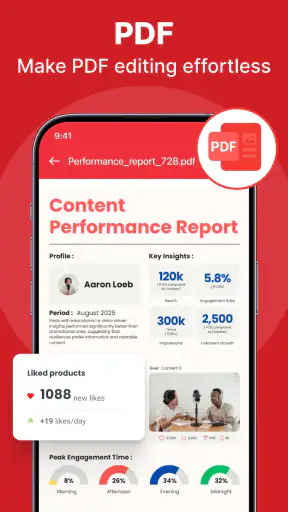
PDFs are the clearest reason to choose this app. They are commonly used for forms, manuals, tickets, receipts, school material, and official letters, and they often arrive when I am away from a computer. A dedicated reader should make those files feel approachable, and this app’s focus gives it a sensible role as a mobile document shelf.
I found the strongest use case in quick inspection. Before sending a file onward, printing it, or opening it in another tool, I can use the reader to verify that the pages look right and that the document is not the wrong attachment. For long documents, the value is not only opening the file but being able to return to it later without treating every viewing session as a new search.
Still, readers should separate viewing from editing. A PDF viewer may be perfectly adequate for reading a contract or checking a timetable while being the wrong choice for changing clauses, rebuilding a form, or performing detailed markup. I would not choose this app on the assumption that a general document viewer will match a specialized PDF editor.
Why the multi-format approach is useful, and where it stops
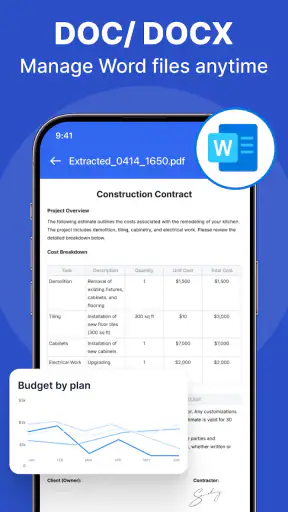
Supporting Word, Excel, and PowerPoint alongside PDF makes the app more practical than a PDF-only tool. It gives me one place to start when I do not know which format a colleague or institution will send. That is a meaningful advantage for casual users, because the inconvenience of multiple apps is often greater than the inconvenience of using a less specialized viewer.
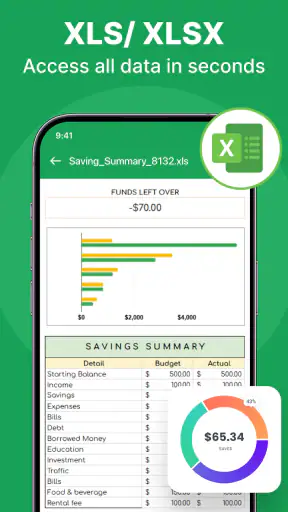
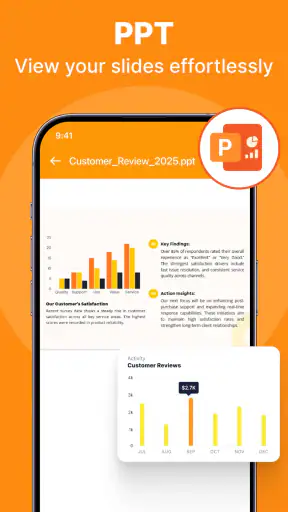
The trade-off is depth. A spreadsheet can contain formulas, wide tables, hidden details, and formatting that is easier to inspect on a larger screen. A presentation may depend on fonts, spacing, transitions, or carefully arranged objects. A Word document may require editing rather than reading. For those situations, I would use this app to check the file and then move to the original productivity software if the document needs serious work.
This is also where expectations matter. “Manage” should mean organizing access to documents in a useful mobile workflow, not automatically turning the phone into a full desktop office. I would recommend keeping the original file in a reliable storage location and treating this app as the convenient viewing layer. That approach avoids depending on a general reader for tasks it was not designed to replace.
Where it wins, where alternatives fit, and what switching involves
The advantage over a PDF-only reader
A PDF-only reader can be a better choice when every file I handle is a PDF and I want the most focused possible experience. It may feel cleaner because it has fewer format-related decisions. However, that focus becomes a limitation as soon as a Word document or spreadsheet arrives. PDF Reader & Document Viewer wins for people who regularly receive mixed attachments and want one first-stop app.
The decision comes down to frequency, not prestige. If I open one PDF every few weeks, the built-in viewer on my phone may already be enough. If I repeatedly move between PDFs and office documents, the broader format coverage is more valuable. I would not install this app merely because it can open PDFs; I would install it because those PDFs appear beside several other document types in my daily routine.
The advantage over a full office suite
A full office suite is normally the stronger option for creating and editing documents. It is the better fit for someone writing reports, maintaining complex budgets, revising presentations, or collaborating on files as part of a job. Those users need editing tools and compatibility checks that a reader-centered app should not be expected to provide.
This app wins on approachability. When I only need to read a file, a large office suite can feel like too much software around a small task. A lighter document viewer is easier to recommend to a family member who wants to open attachments, or to a student who mainly reads course material. The right question is not which category is universally better, but whether the phone is being used as a reading desk or a production workstation.
The advantage over relying on built-in phone viewers
Built-in viewers are convenient because they require no extra installation, and I would continue using them for a single quick file. Their weakness is consistency. The experience may change depending on the file type, the app that received the attachment, or the service that stores it. A dedicated document app gives me a predictable place to begin.
The cost of switching is small at first: install it, open a few representative files, and see whether it fits naturally into the way I receive documents. The more important cost is habit. If my files are scattered across messages, downloads, cloud folders, and email attachments, no viewer can completely solve the organization problem. I would spend a few minutes deciding where important documents should live, then use this app as the reading point rather than expecting it to replace a sensible filing system.
Three practical habits that improve the experience
First, I would test the app with the files I actually use, not random sample documents. Open a normal PDF, a Word file with several pages, a spreadsheet with a wide layout, and a presentation containing images. This quickly reveals whether the app is suitable for my personal workflow. A reader that handles simple files well may still be less comfortable with the documents that matter most to me.
Second, I would use it as a triage tool. When several attachments arrive, open them here to identify the useful ones, then send only the files requiring changes to a specialized editor. This keeps the everyday process light and avoids turning every document check into a full editing session.
Third, I would avoid treating a phone screen as the final quality check for important output. A document may be readable on a small display while still having a layout problem that becomes obvious on paper or a larger monitor. For contracts, applications, invoices, and presentations, I would review the file here for convenience and perform the final inspection in the tool used to create or submit it.
Costs, version, and the question of value
The app is free, which makes testing straightforward. It does include in-app purchases priced from $9.99 to $29.99 per item. I would therefore install it first without assuming that every possible capability is included at no cost. Before paying, I would ask whether the extra value solves a regular problem for me or merely adds occasional convenience.
That matters because the free entry point is most attractive to readers, students, and casual users. Someone who needs a dependable office workflow may eventually compare the purchase options with a dedicated editor or an existing productivity subscription. I would not pay simply to have another viewer if my phone already handles occasional documents well.
The current version is 1.9.7, and the app requires an operating system version of 9 or later. That makes compatibility an easy first check before switching. For a supported phone, the more important test is personal: can I find my files quickly, read the formats I receive, and complete the task without reaching for another app every time?
Who should choose it, and who should skip it
I would recommend it to someone who wants a single, free starting point for PDFs and common office documents. It is particularly sensible for people who read more than they edit, receive mixed attachments, or want to reduce the number of separate viewers on a phone. The Everyone rating also makes it a reasonable general-purpose option for households where different people need to open ordinary documents.
I would be more cautious for professionals whose work depends on exact formatting, advanced spreadsheet functions, document collaboration, or detailed PDF changes. They may find that a full office suite or specialized PDF application is a better primary tool. I would also skip it if I only open the occasional PDF and already have a built-in viewer that does everything I need.
One further trade-off is that a broad viewer can create a false sense of completeness. Because it opens several formats, it may appear ready for every document task. My advice is to define the job clearly: reading, checking, and managing access are good reasons to use it; intensive creation and editing are reasons to compare other categories first.
My recommendation after using it
PDF Reader & Document Viewer earns a place as a practical document-reading companion rather than a universal office replacement. I like its central idea because it addresses a real mobile annoyance: mixed files arriving through different channels. The free installation lowers the risk, and the combination of PDF, Word, Excel, and PowerPoint support gives it more everyday value than a narrowly focused reader.
My recommendation is to try it if your phone is mainly a place for checking documents and you want one familiar starting point. Test it with your own files, especially the largest or most complicated ones you regularly receive, and keep a specialized editor available for work that requires precision. That simple division of labor gives the app a clear purpose and avoids disappointed expectations.
In the end, I see it as a useful middle ground. It is more flexible than relying on a single built-in viewer, but less ambitious than a complete office suite. For quick reading, mixed attachments, and everyday document access, that balance is its strongest argument. For serious editing, I would choose a tool built around the specific format instead.


